




Enterprise Architecture
The Complete OrgMetrix Administration & Feature Suite
An end-to-end enterprise platform encompassing Domain Management, Security &
Identity Governance, Custom Branding, and Data Recovery System Tools.
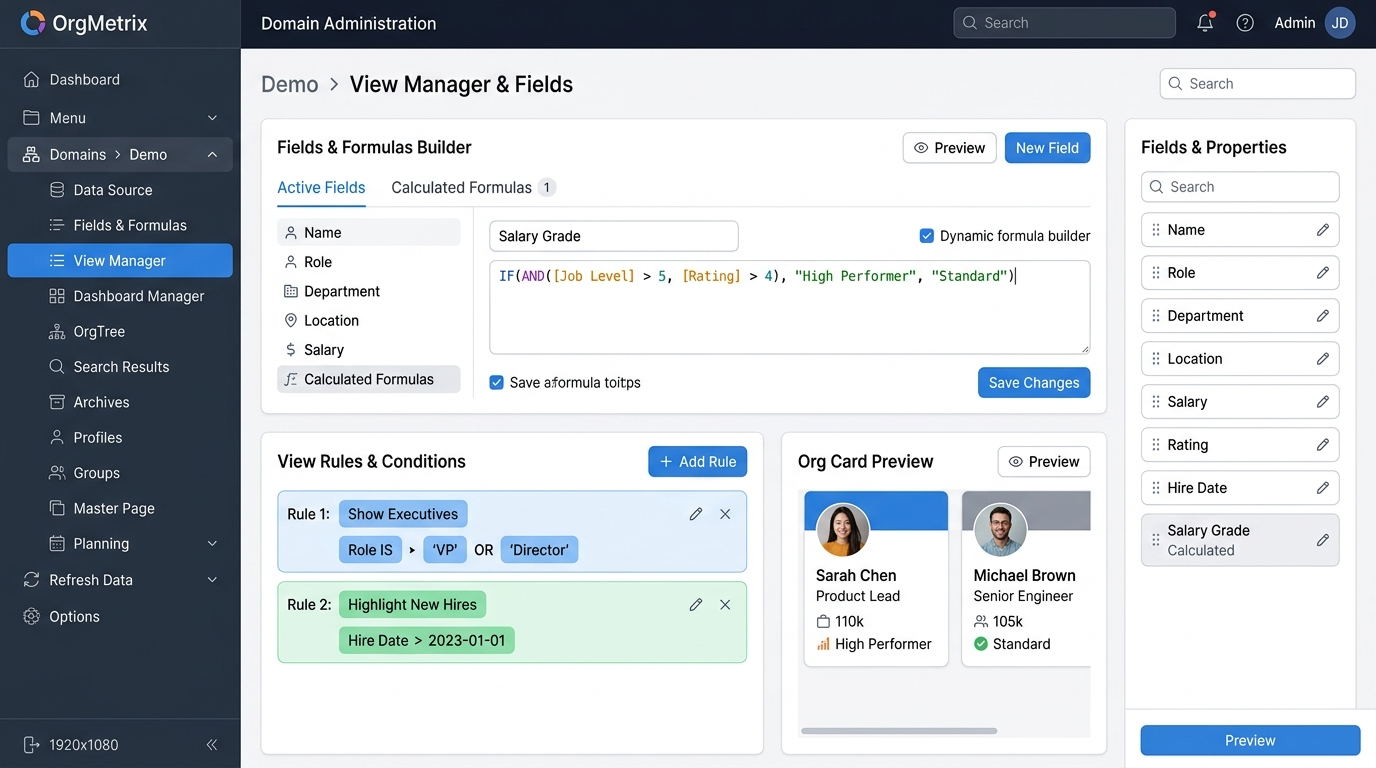
Administration Pillar 01
Domain Administration & Visualization Modules
The 14 specialized modules powering data ingestion, dynamic formulas, 9-box talent
calibration, real-time analytics, chart styling, and scenario modeling.
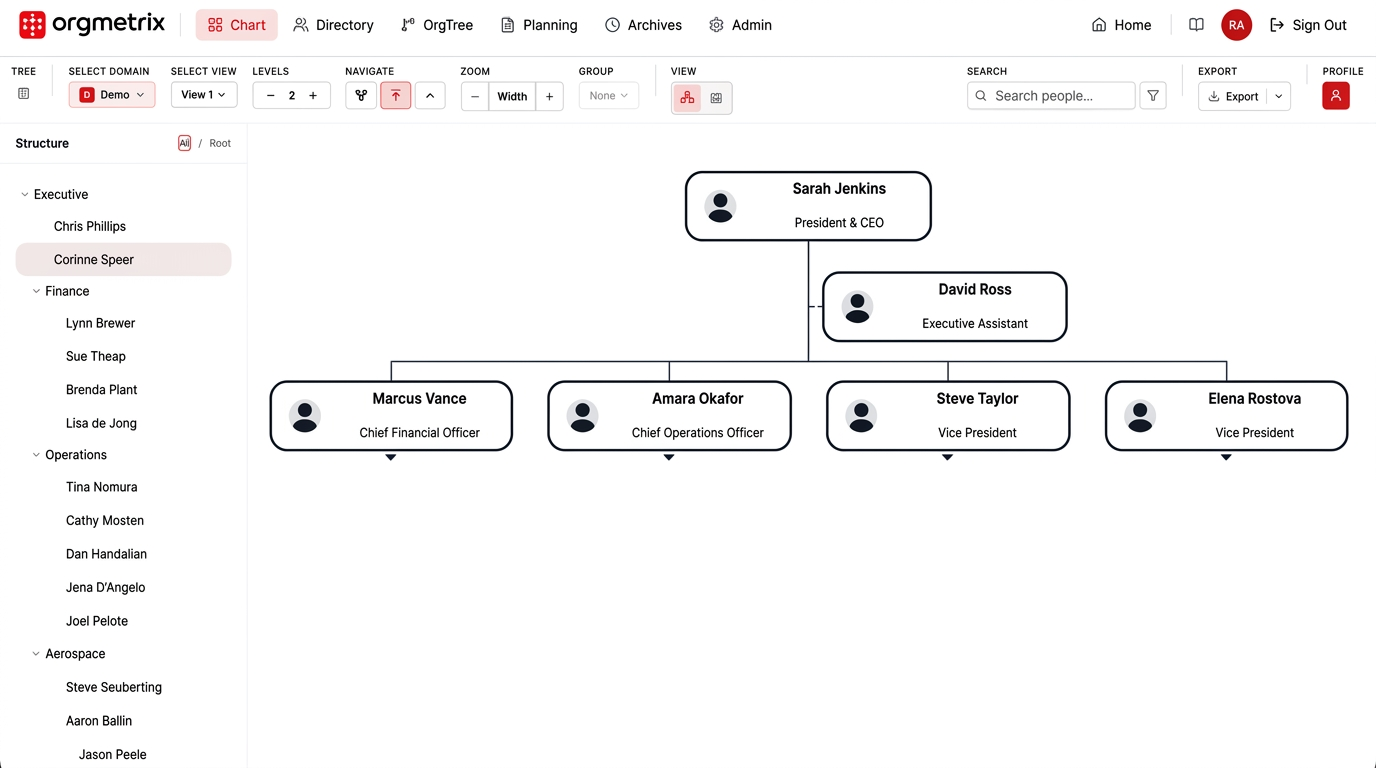
Domain Module 01 • Data Source
Universal Enterprise Data Ingestion
Connect directly to Oracle Fusion Cloud HCM, Microsoft Graph (Azure Entra ID), Excel (.xlsx/.xls), CSV files, and ConnectSQL Oracle Studio (ConnectSQL Query Studio).
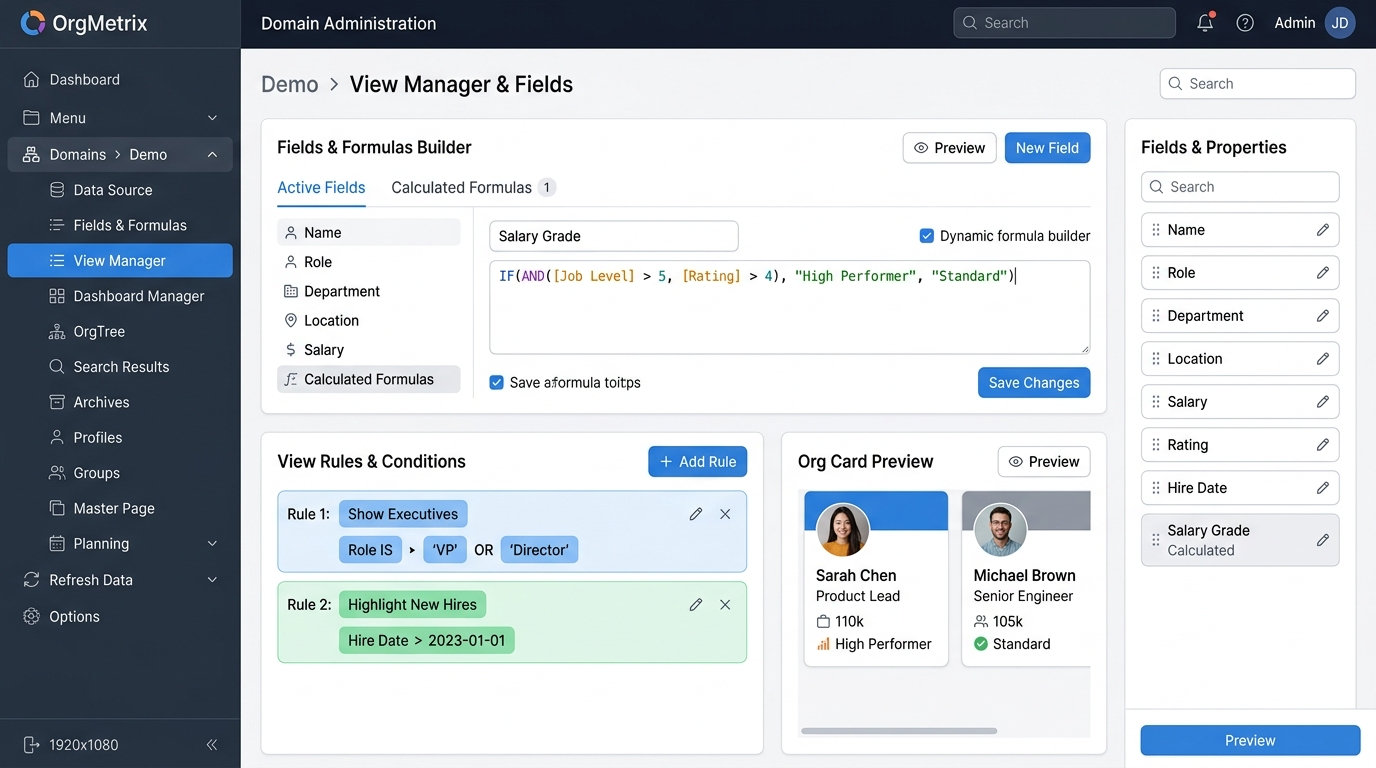
Domain Module 02 • Fields & Formulas
Dynamic Formula Builder & Calculated Attributes
Enrich raw employee data with custom calculated fields, salary grade evaluations, tenure milestones, span-of-control ratios, and composite multi-column merged fields (__merged__).
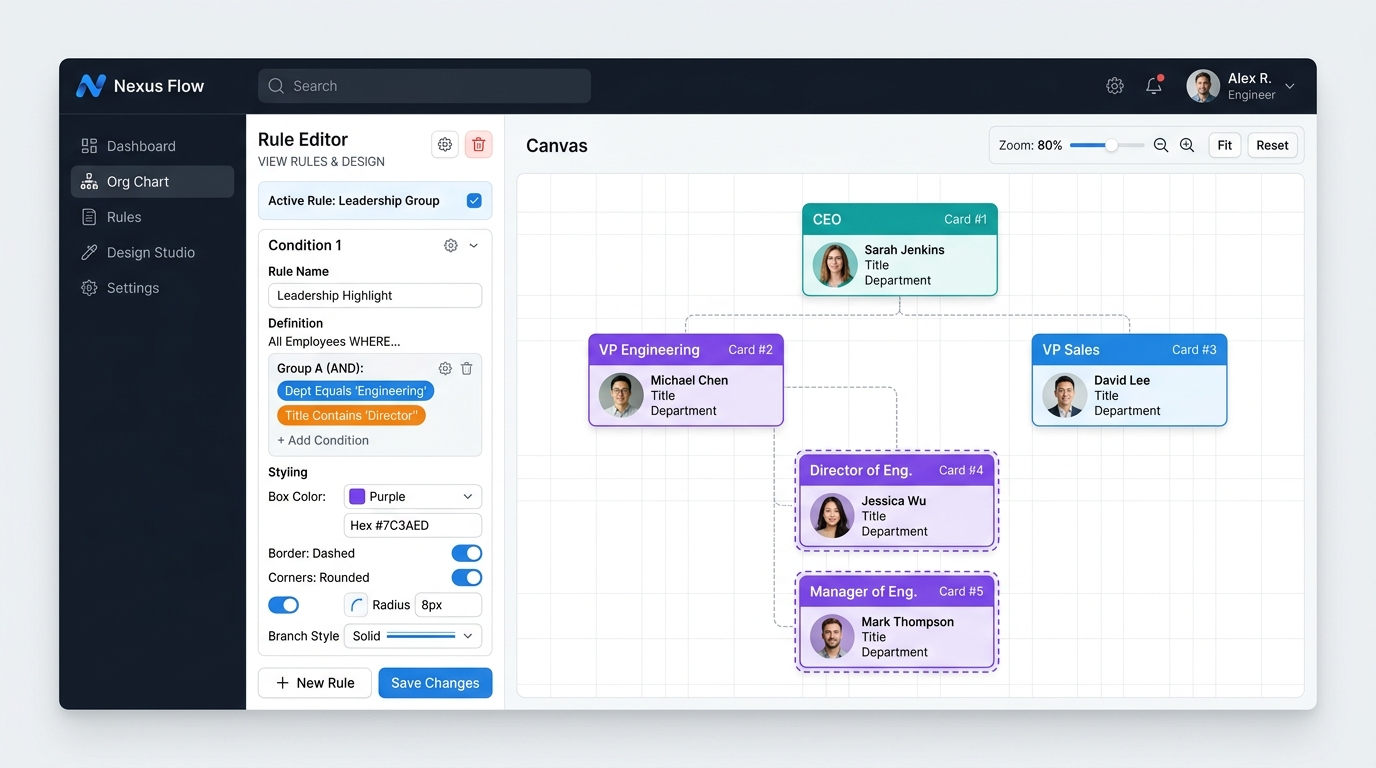
Domain Module 03 • View Manager & Rules
Rule Engine & Box Style Studio
Define multi-condition rule groups (AND/OR logic) to dynamically color-code cards by department, trigger assistant branch lines, apply dashed borders, and customize box geometry.
Domain Module 04 • Dashboard Manager
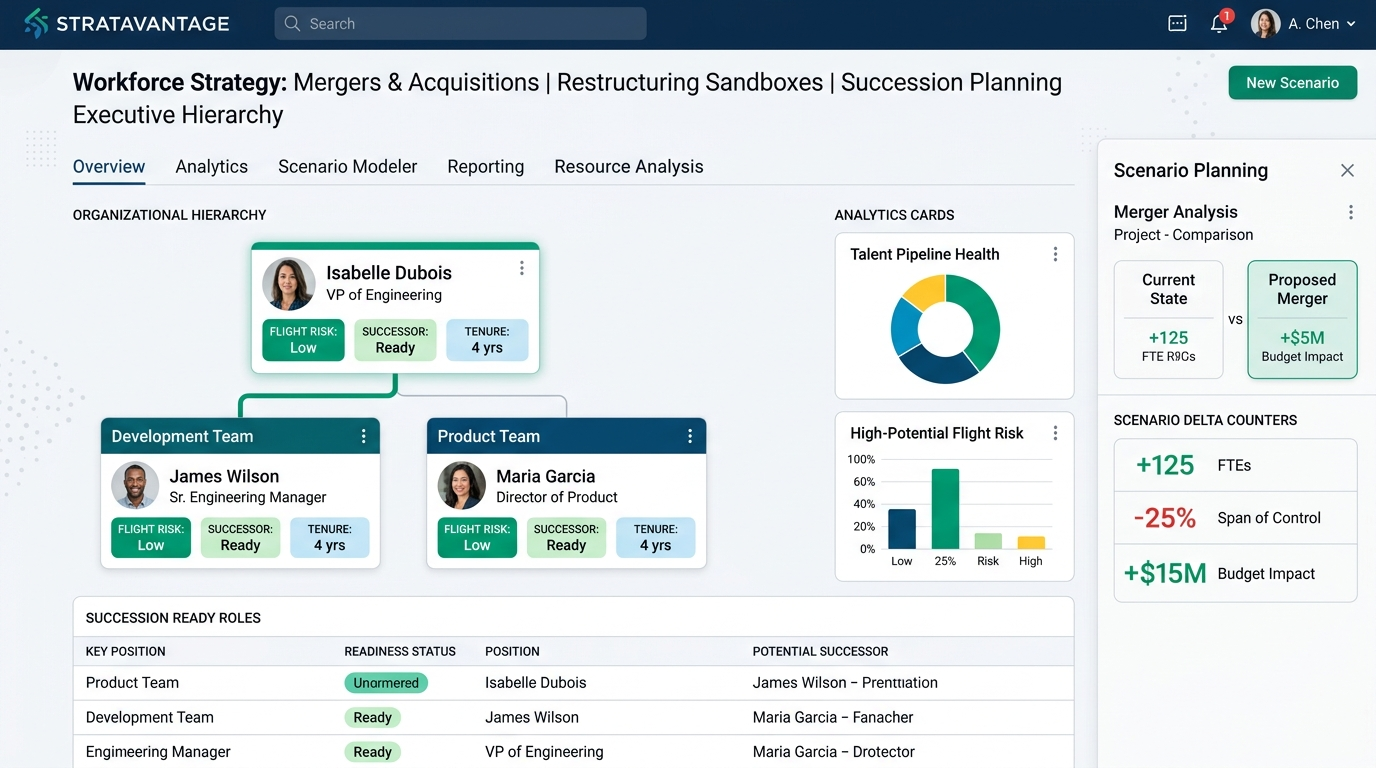
Real-Time Scope-Aware Workforce Analytics
Instantly visualize organization health with dynamic executive dashboards. All KPI widgets, headcount rollups, spans-of-control, and cost distributions dynamically recalculate based on the selected OrgTree node and all its descendants.
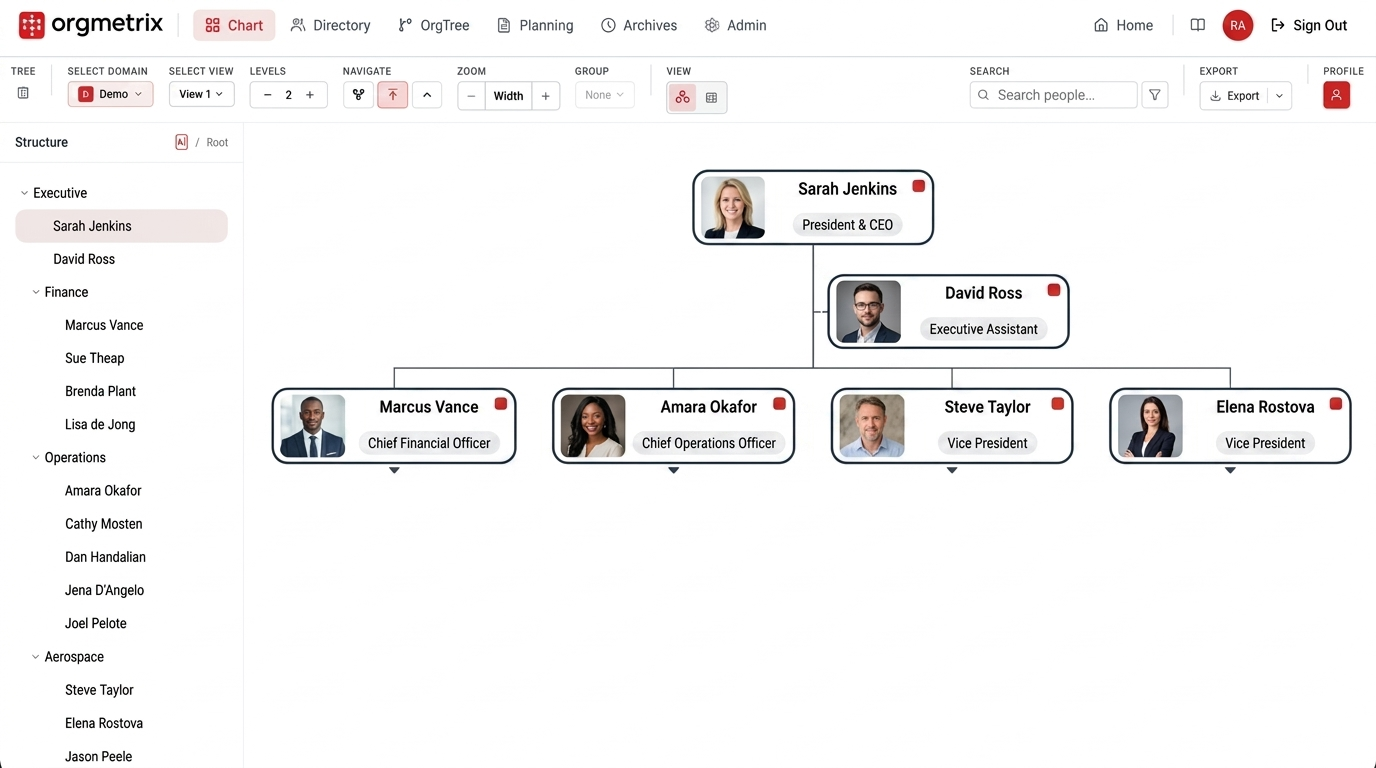
Domain Module 05 • OrgTree Explorer
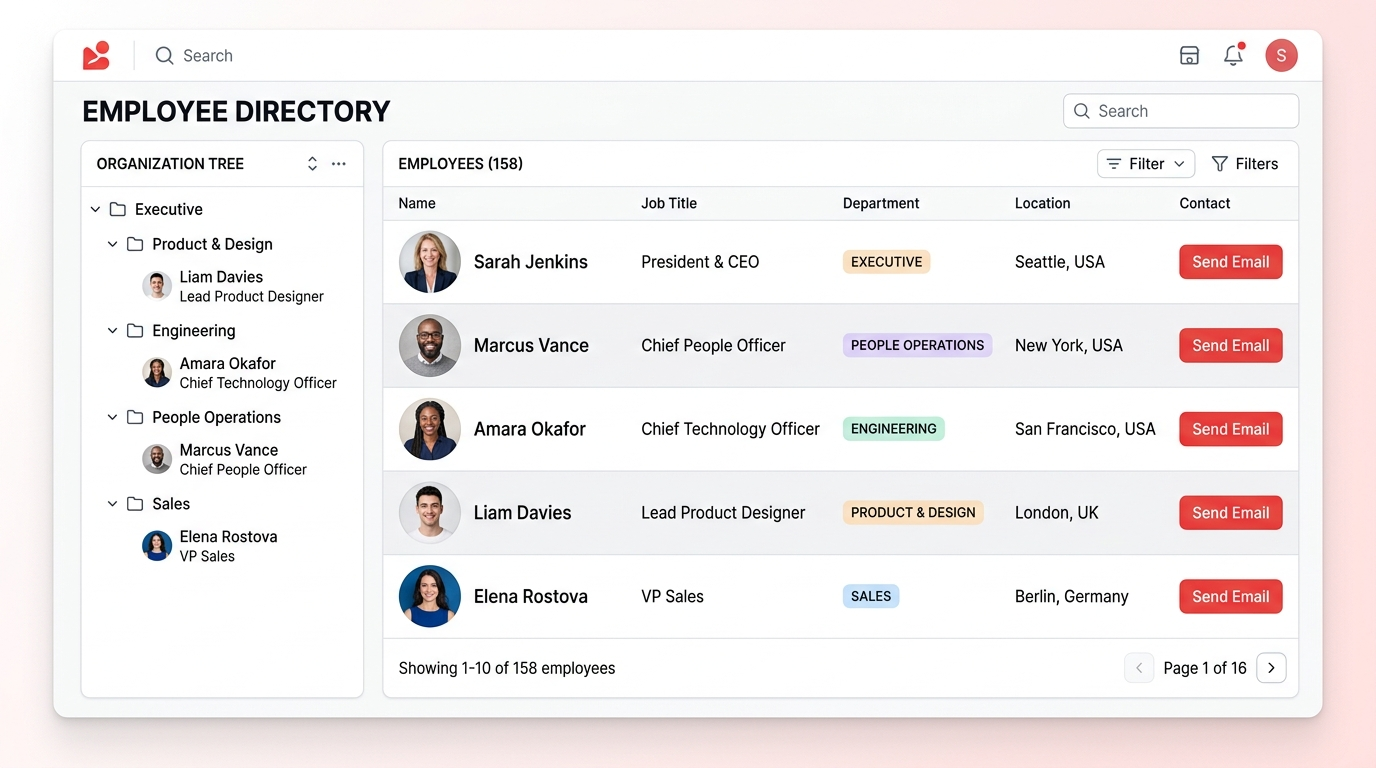
Expandable Department Tree & Tier Pills
Explore your entire organizational hierarchy in a fast tree view. Features one-click Expand All / Collapse All, depth level color pills (Root, L1, L2, L3, L4+), and instant search.
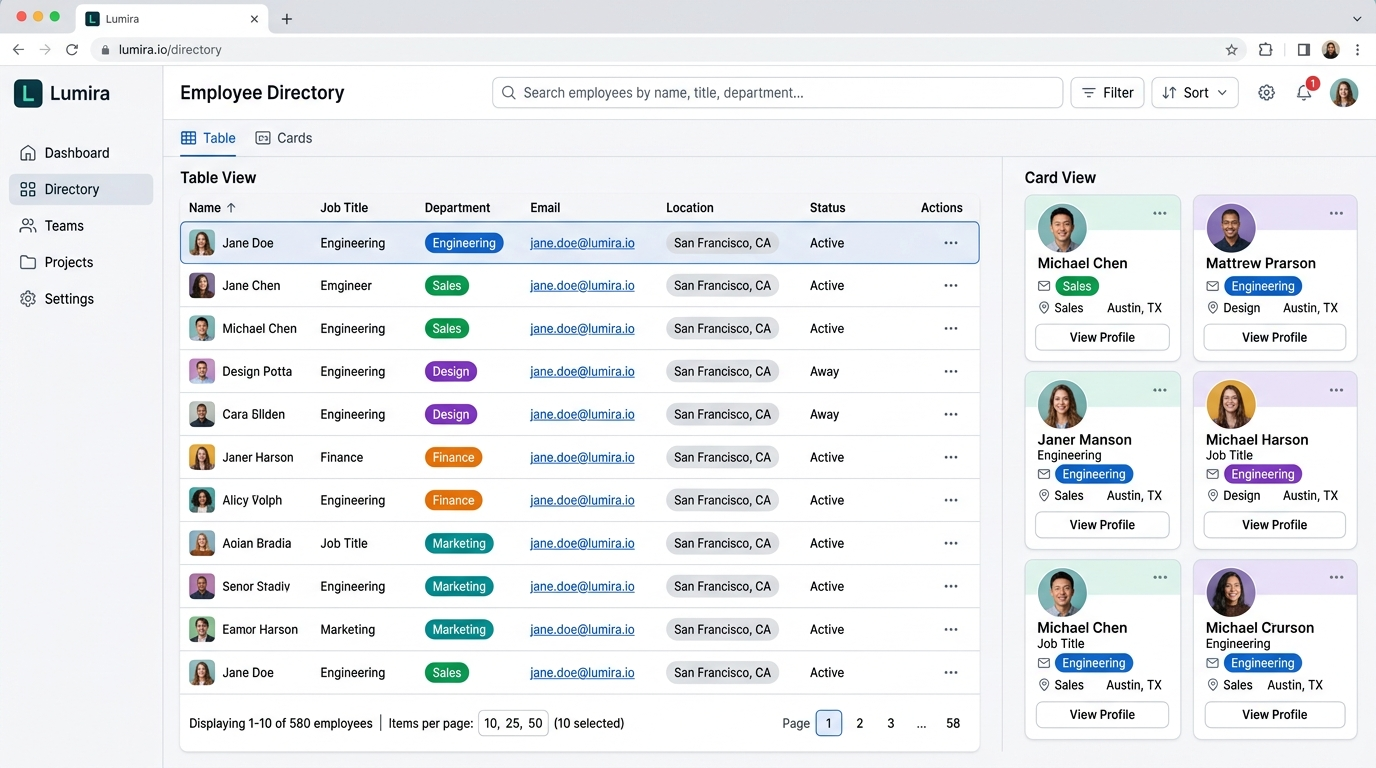
Domain Module 06 • Search & Directory
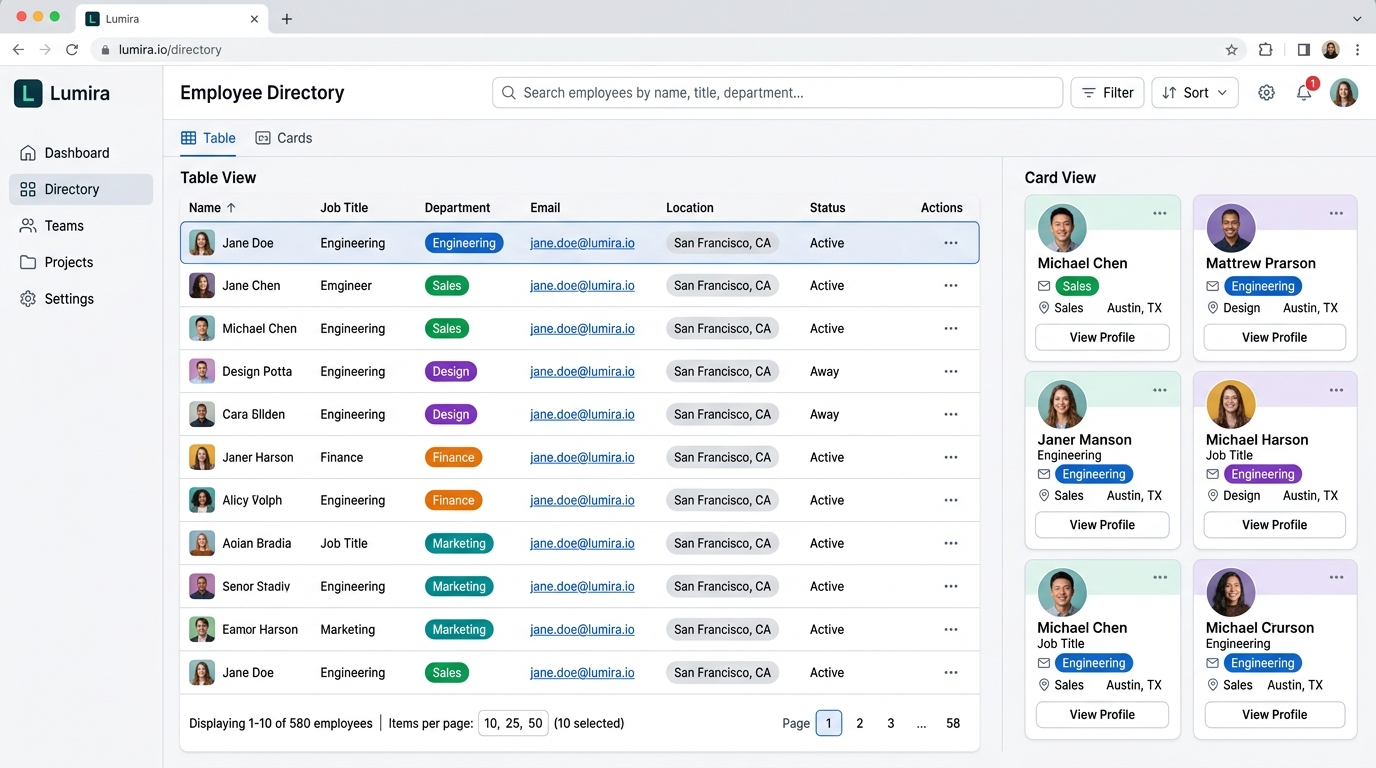
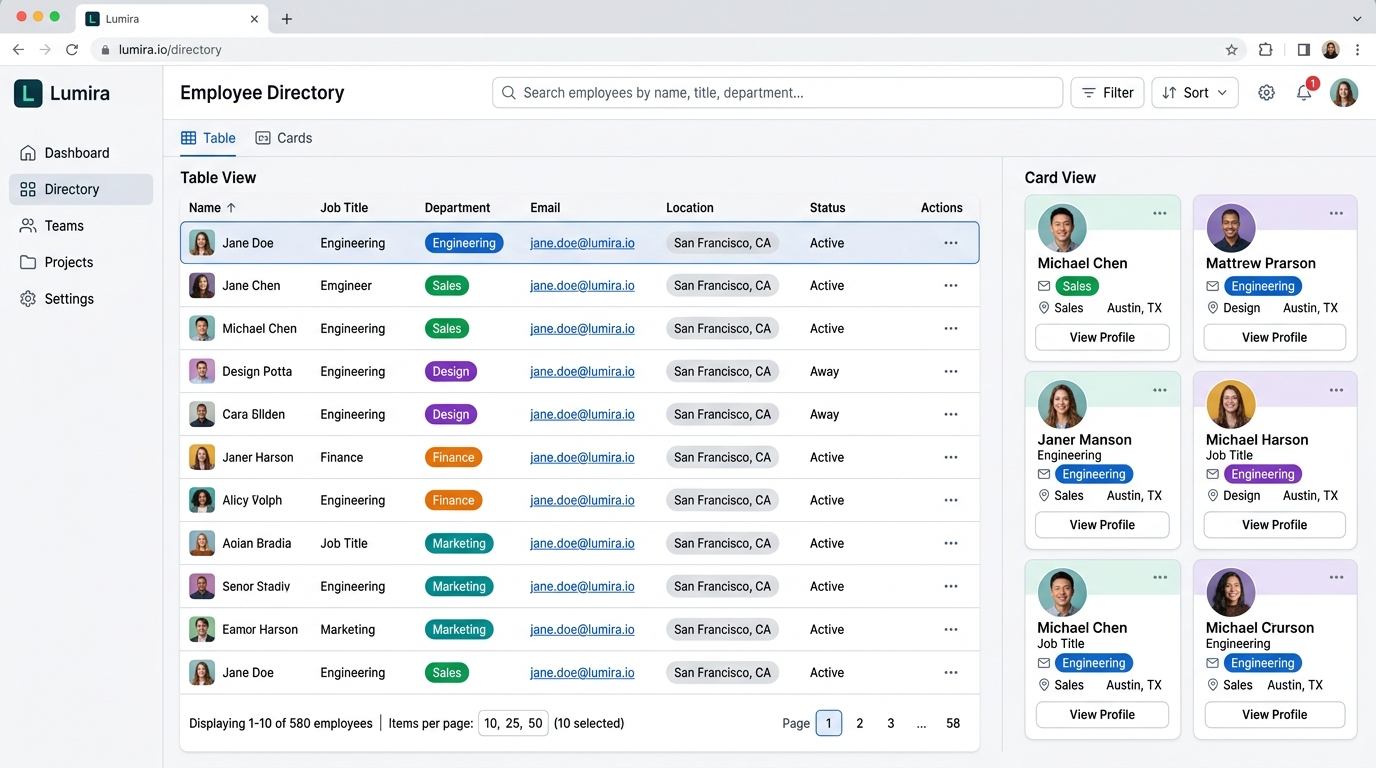
Personnel Records & Custom Data Grid
Search across all employee attributes simultaneously. Filter by Name, Position ID, Job Title, Department, Worker Category, or Office Location with pagination (10/25/50 per page).
Domain Module 07 • Nine-Box Talent Matrix
Performance vs. Potential 3x3 Talent Calibration
Calibrate your organizational talent and leadership succession pipeline. Plot personnel across 9 distinct quadrants (Low, Medium, High Performance × Low, Medium, High Potential) with dynamic counts that adjust to any OrgTree node selection.
Domain Module 08 • Archives & Snapshots
Point-in-Time History & 1-Click Rollback
Capture automated monthly or quarterly snapshots of your company hierarchy. Inspect historical versions, perform audit diffs, and safely restore previous verified states.
Domain Module 09 • Profiles
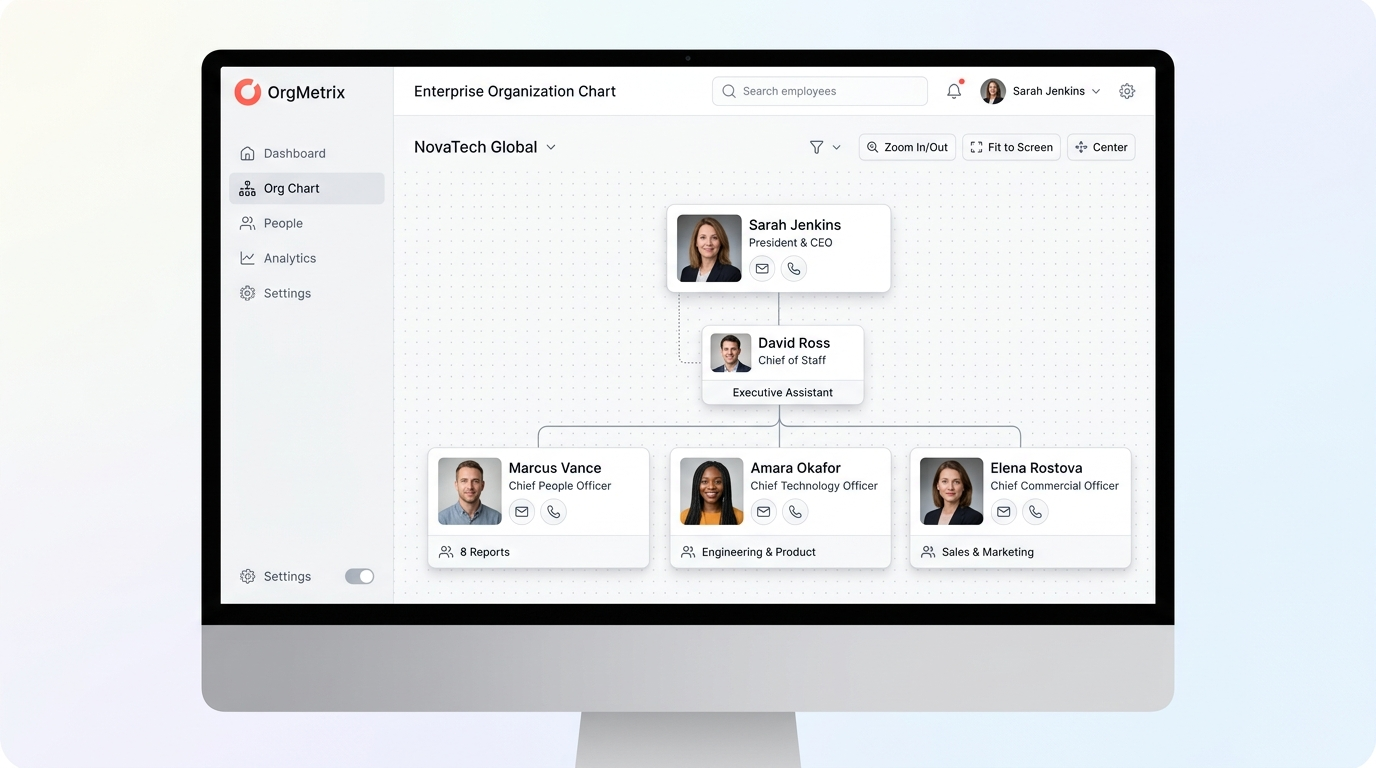
Comprehensive Employee Dossiers & Talent Badges
Click any position card to open a full employee dossier: contact information, upward chain of command, direct subordinates, skill tags, flight risk indicators, and compensation history.
Domain Module 10 • Groups
Cross-Functional Pods & Matrix Dotted Lines
Organize employees into cross-functional project teams, agile squads, committee boards, and dotted-line secondary reporting relationships (``Also Reports To``).
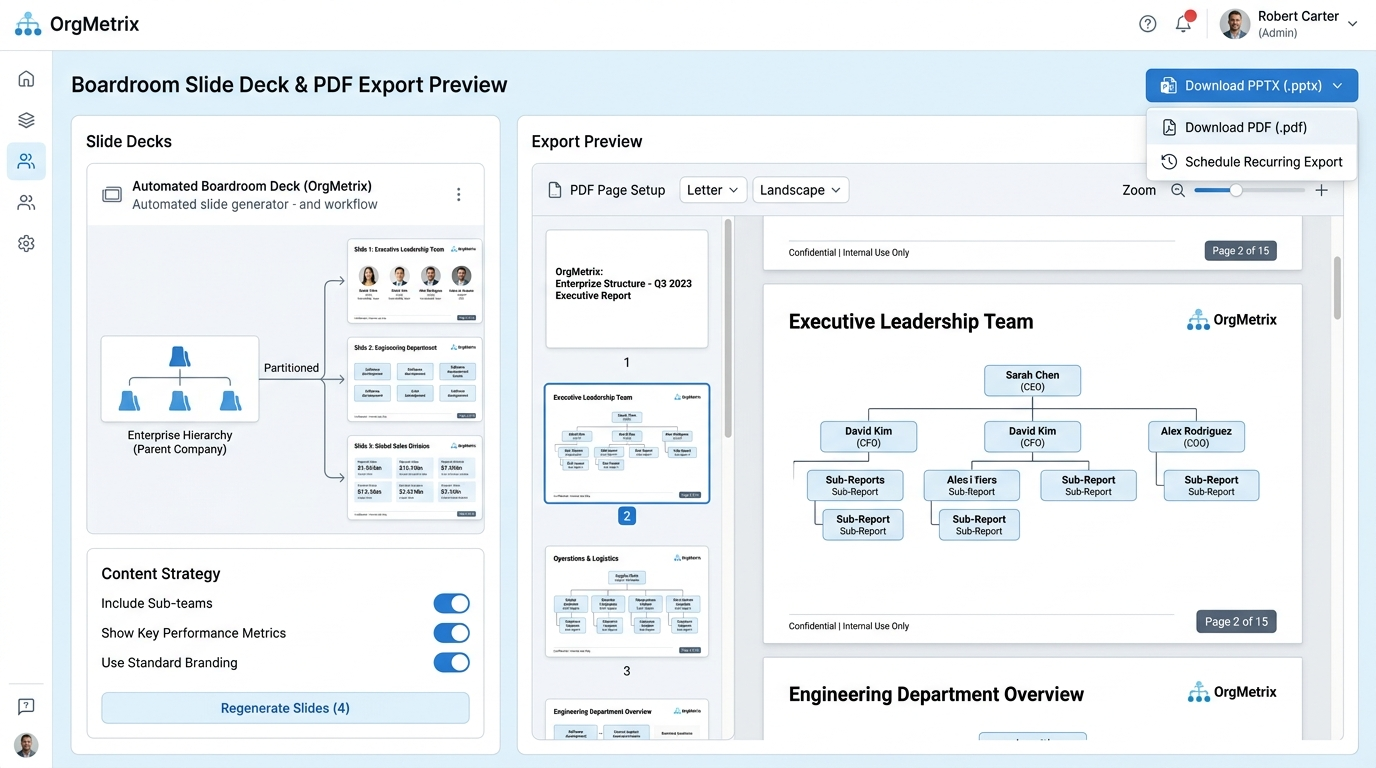
Domain Module 11 • Master Page
Master Page Overlays & Boardroom PPTX Export
Format your organization chart for executive presentation. Configure custom corporate logos, title blocks, confidentiality watermarks, auto-date stamps, dynamic color legends, and 1-click PowerPoint (.pptx) generation.
Domain Module 12 • Planning
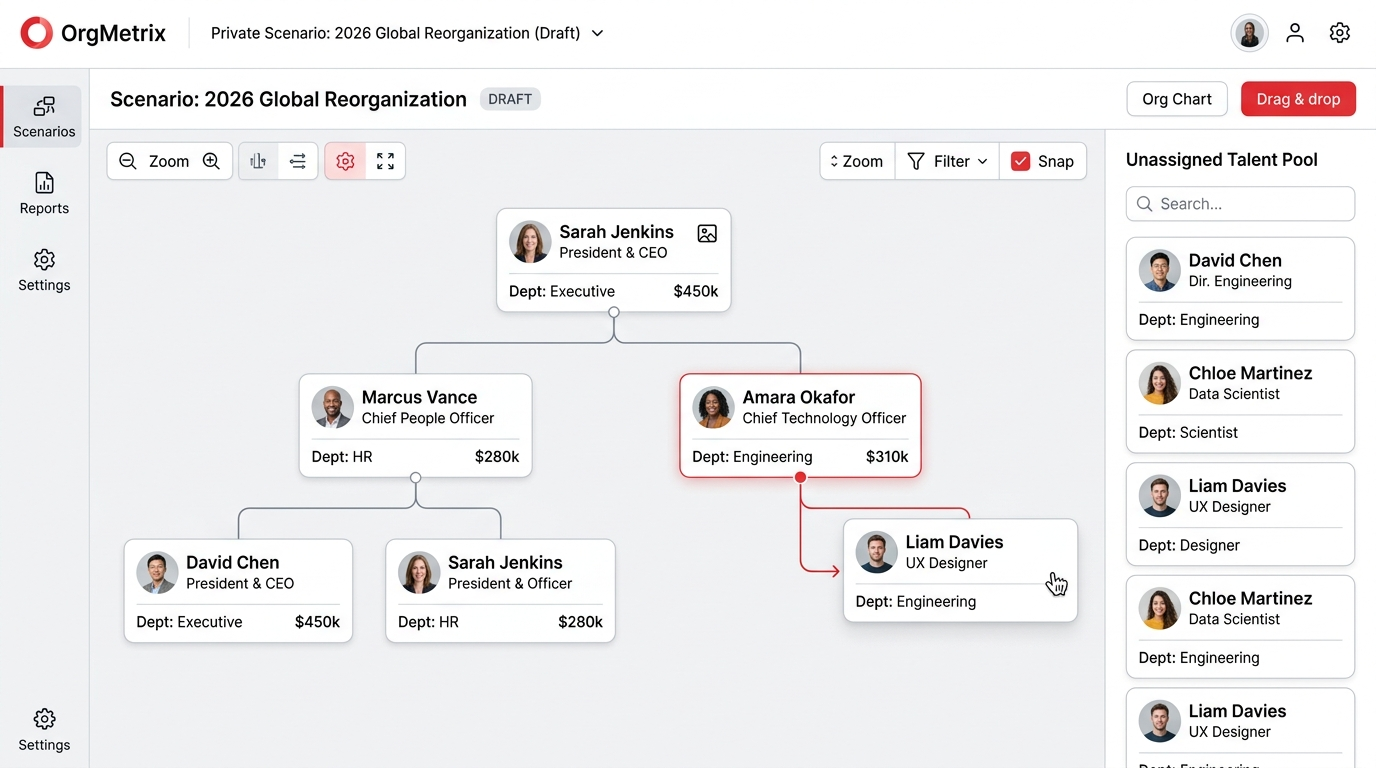
Scenario Planning Sandbox & Holding Dock
Draft confidential reorganizations, M&A integrations, and team expansions. Drag and drop personnel into a temporary holding dock while real-time widgets calculate headcount and compensation variance.
Domain Module 13 • Refresh Data
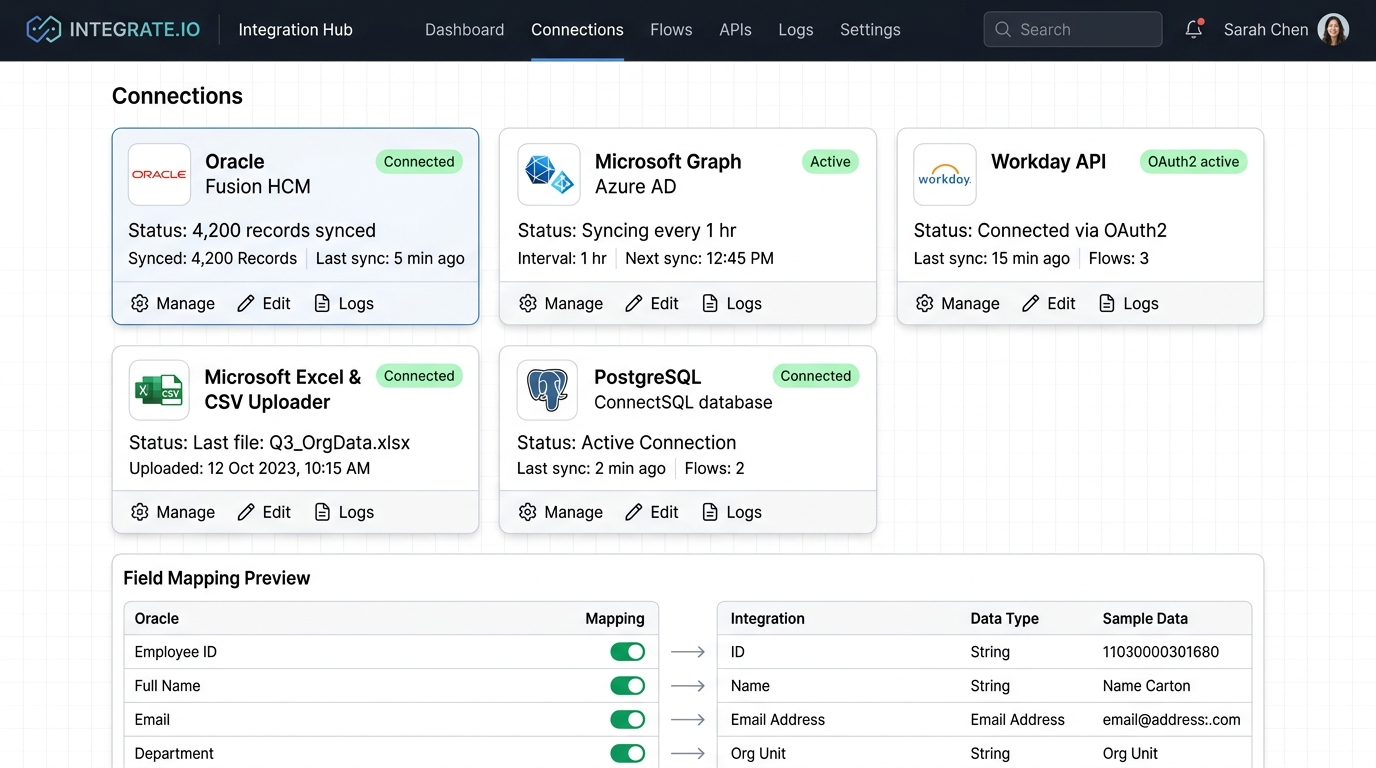
Scheduled & On-Demand Data Synchronization
Keep your chart continuously in sync with underlying systems of record. Trigger immediate manual refreshes or configure automated hourly/daily crons with detailed synchronization logs.
Domain Module 14 • Options & Governance
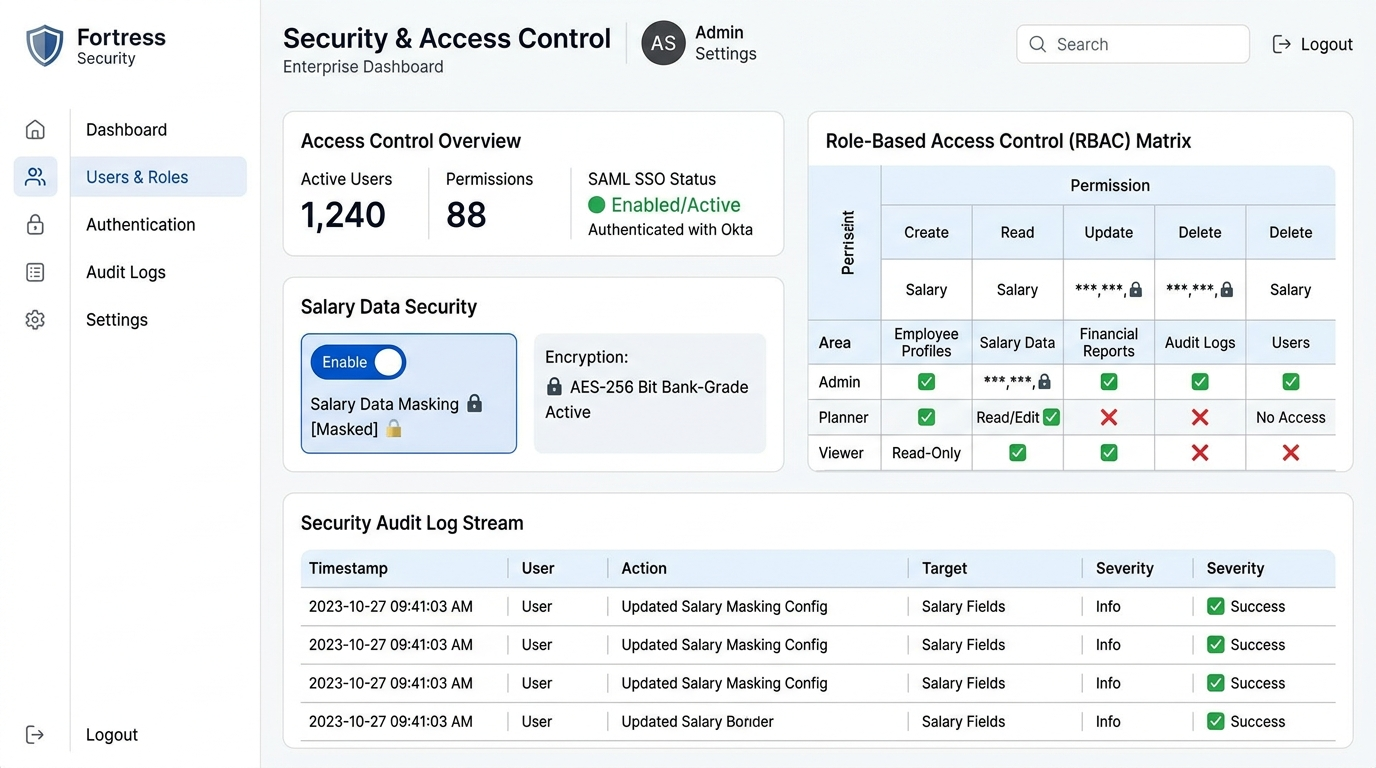
Domain Defaults, RBAC & Salary Masking
Configure domain-level settings: set default zoom levels (Fit to Width, Fit to Window, 100%), designate the root top node, establish role-based permissions (Admin, Planner, Viewer), and enforce field-level salary privacy.
Administration Pillar 02
Security & Identity Governance
Manage SSO, user directories, granular Role Rules, branch access filters, and advanced security policies.
Security • Role Rules & Data Privacy
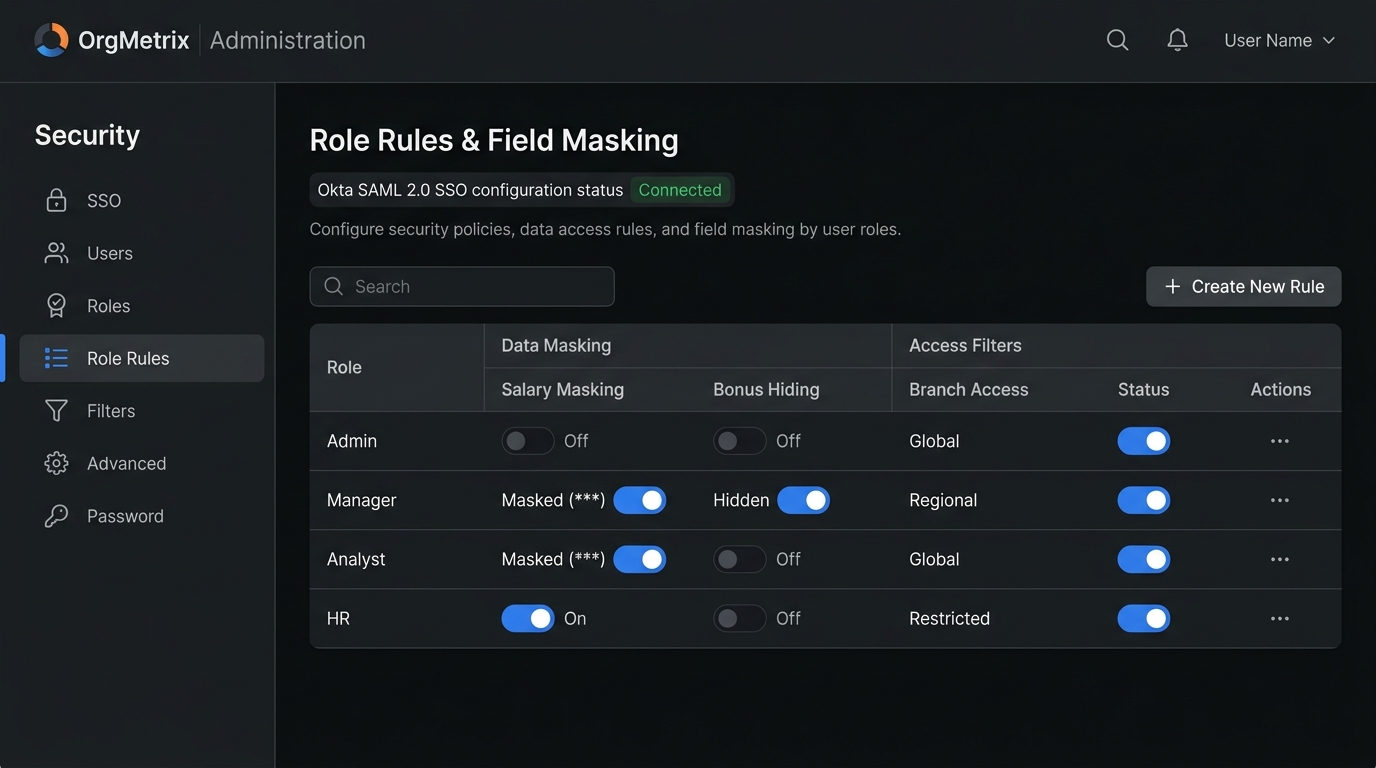
Field-Level Masking & Branch Access Rules
Define precise security policies per role: turn on Salary Masking (***), hide executive bonuses, restrict branch visibility to regional departments, and enforce Okta SAML 2.0 Single Sign-On.
Administration Pillar 03
Preferences & White-Label Branding
Customize your company's visual identity, upload corporate logos, select color themes, and configure slide presentation defaults.
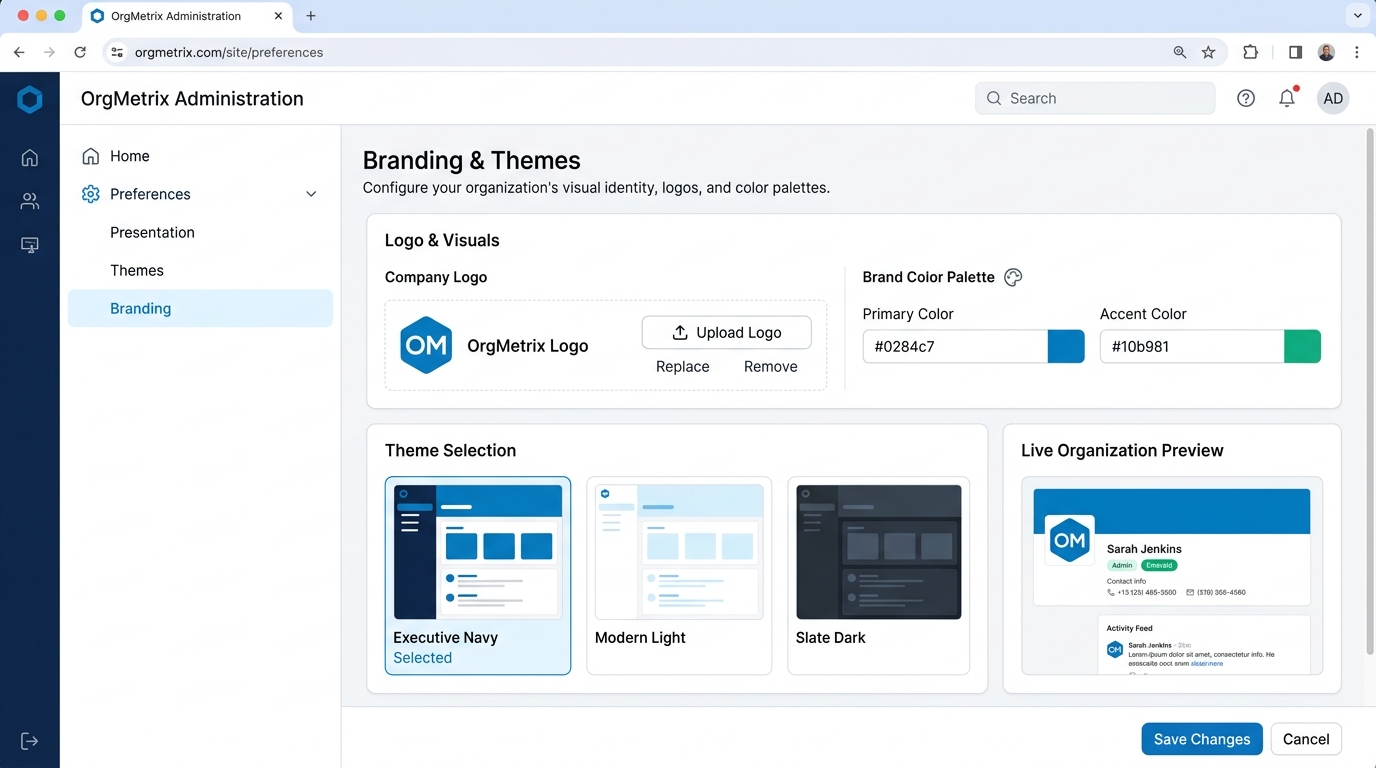
Preferences • Themes & White-Labeling
Corporate Identity & Custom Theme Engine
Tailor OrgMetrix to your company's visual brand. Upload your high-resolution vector logo, define primary & accent color palettes, and switch between pre-built themes (Executive Navy, Modern Light, Slate Dark).
Administration Pillar 04
System Tools & Data Recovery
Comprehensive system administration: centralized File Manager, database Snapshots, execution logs, and SMTP e-mail notifications.
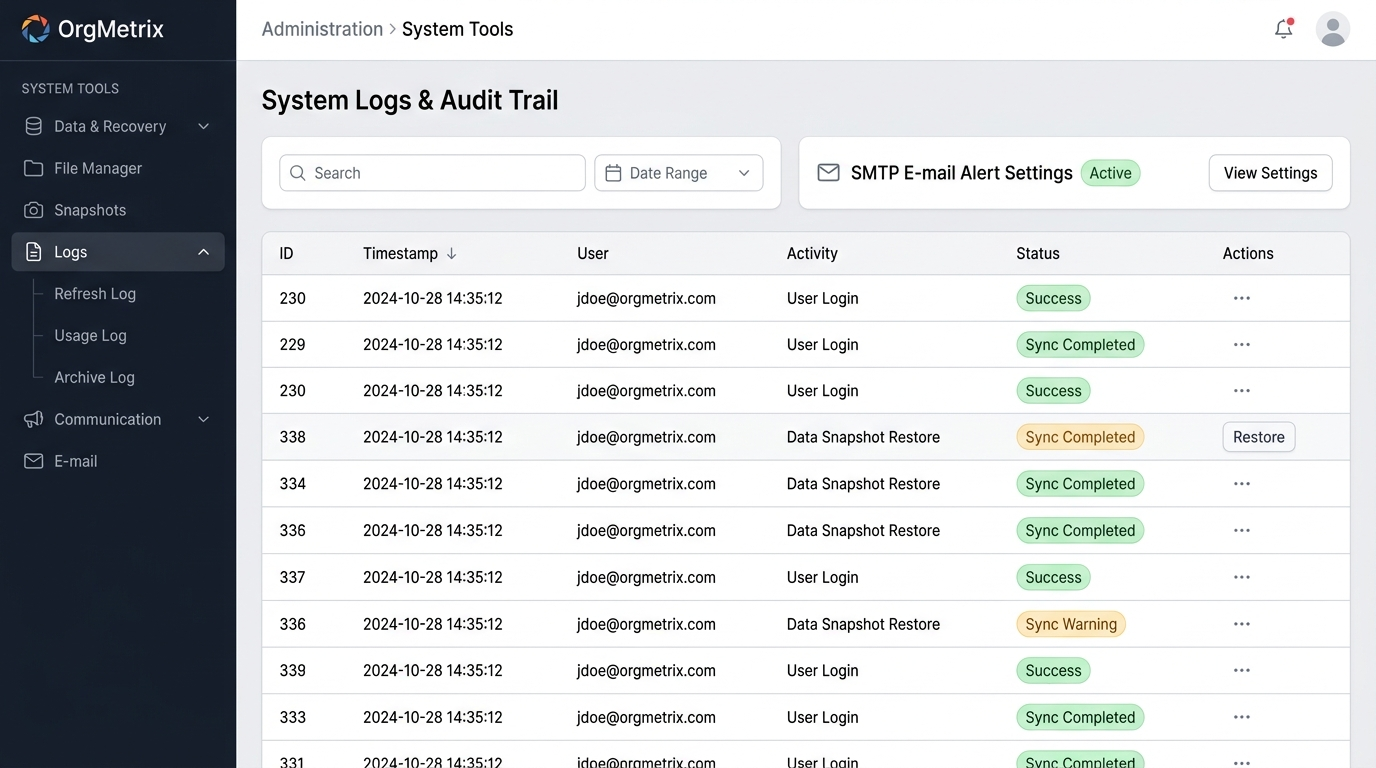
System Tools • Audit Logs & Backups
Central File Repository & Immutable Audit Trails
Monitor system health with live execution streams. View Refresh Logs for connector syncs, Usage Logs for user logins and export actions, and Archive Logs for version lifecycle auditing.
Get In Touch With Us
Join 2,000+ Organizations Saving Time with OrgMetrix
Book a personalized 15-minute walkthrough to see your org structure in action.